
Add Quick Search to your Browser
Presentation
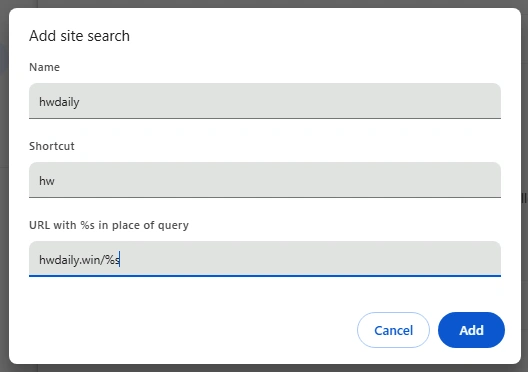
You can easily search HWDaily from your browser's title bar by typing for example: "hw jhu"

Chrome
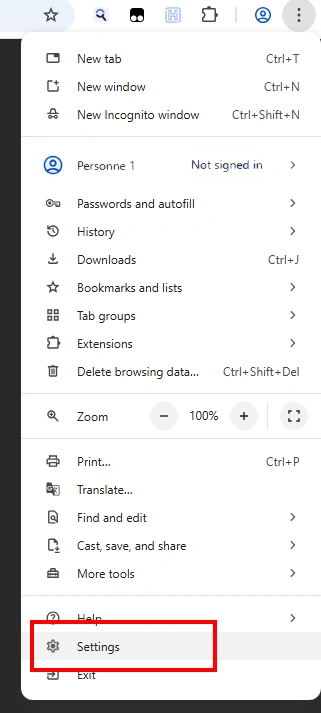
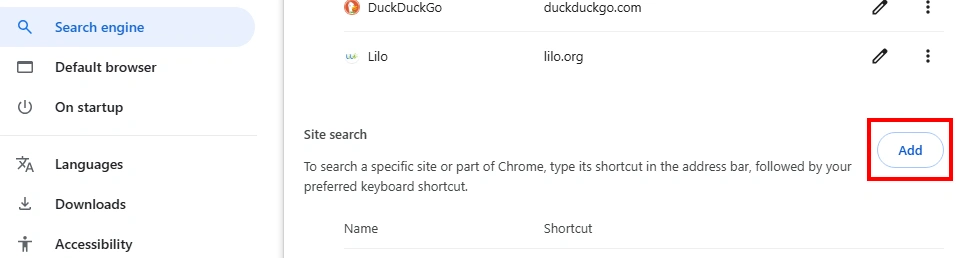
Go to the three dots menu (top right) > Settings > Search Engine > Site Search > Add
Firefox
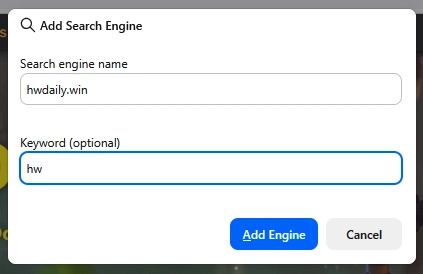
Right click on the search box (top right) > "Add Search Engine"

Safari
Safari does not offer this feature, but I have been told you have two options:
install the "Keyword Search" extension from the App Store
create a bookmark with the following code: javascript:void(window.location='https://hwdaily.win/'+encodeURIComponent(prompt('Search HWDaily')))